ChatGPT conversation branching, finally visible
Every edit and regeneration in ChatGPT creates a hidden branch. Tangent View draws your whole conversation as an interactive graph — so you never lose a good answer in a forgotten branch again.
4.5★ on Chrome Web Store • No account required • Updated June 2026
Quick Answer
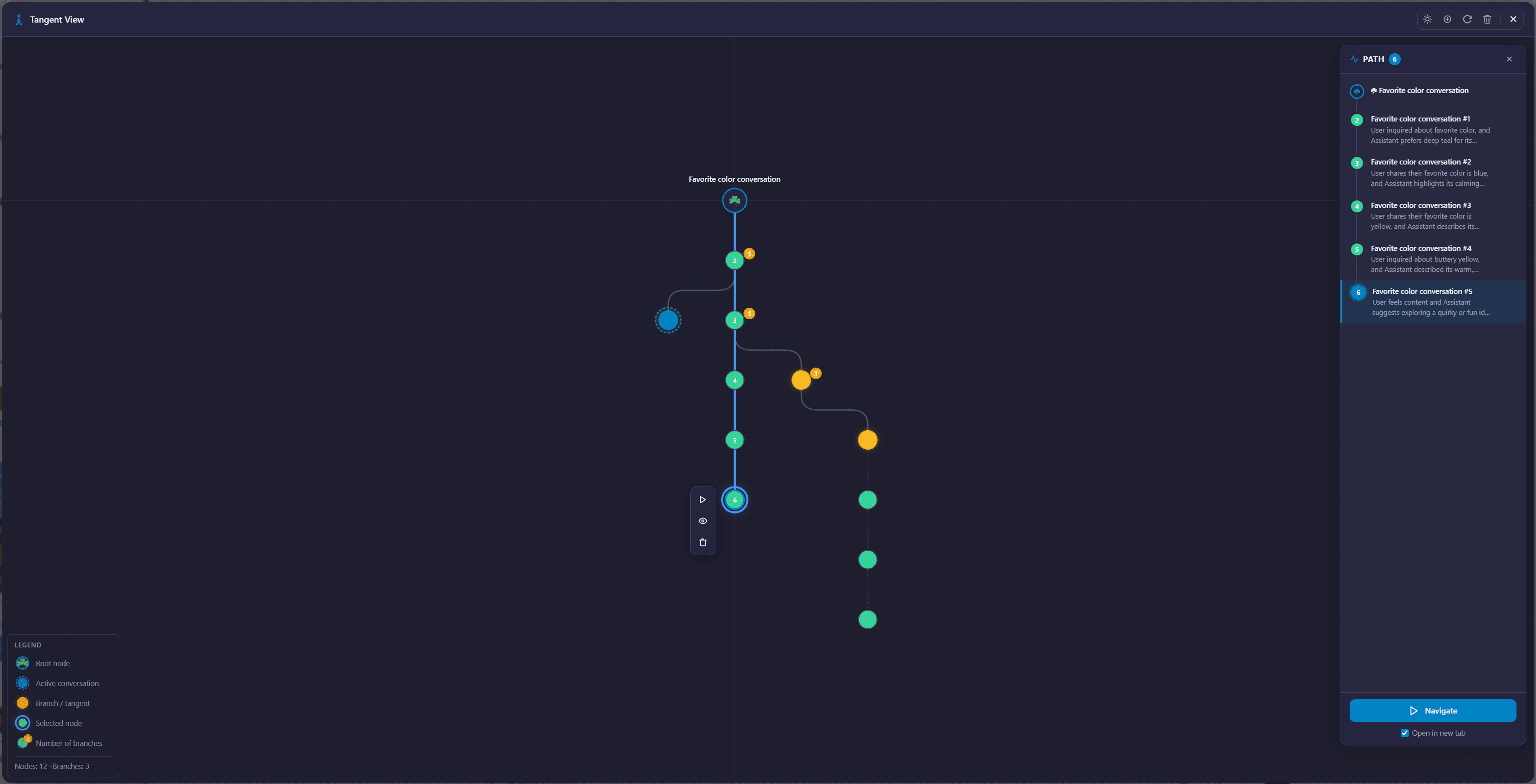
ChatGPT hides conversation branches behind tiny < > arrows — there is no native overview of edited or regenerated paths. Tangent View, part of the AI Workspace extension, visualizes the entire conversation tree as an interactive graph with hover previews and path tracing. Open it with Ctrl/Cmd+Shift+Y. All data stays local in your browser.
The branch you can't find anymore
You edit a prompt to try a different angle. Then you regenerate a reply. Twenty minutes later you want that first version back — but where is it?
ChatGPT keeps every branch, but only shows < 2/3 > arrows on a single message. To explore the tree you have to click through every fork, one at a time, from memory.
What Tangent View gives you
Full conversation graph
Every message, edit, and regeneration drawn as a connected, zoomable graph. Your current path is highlighted.
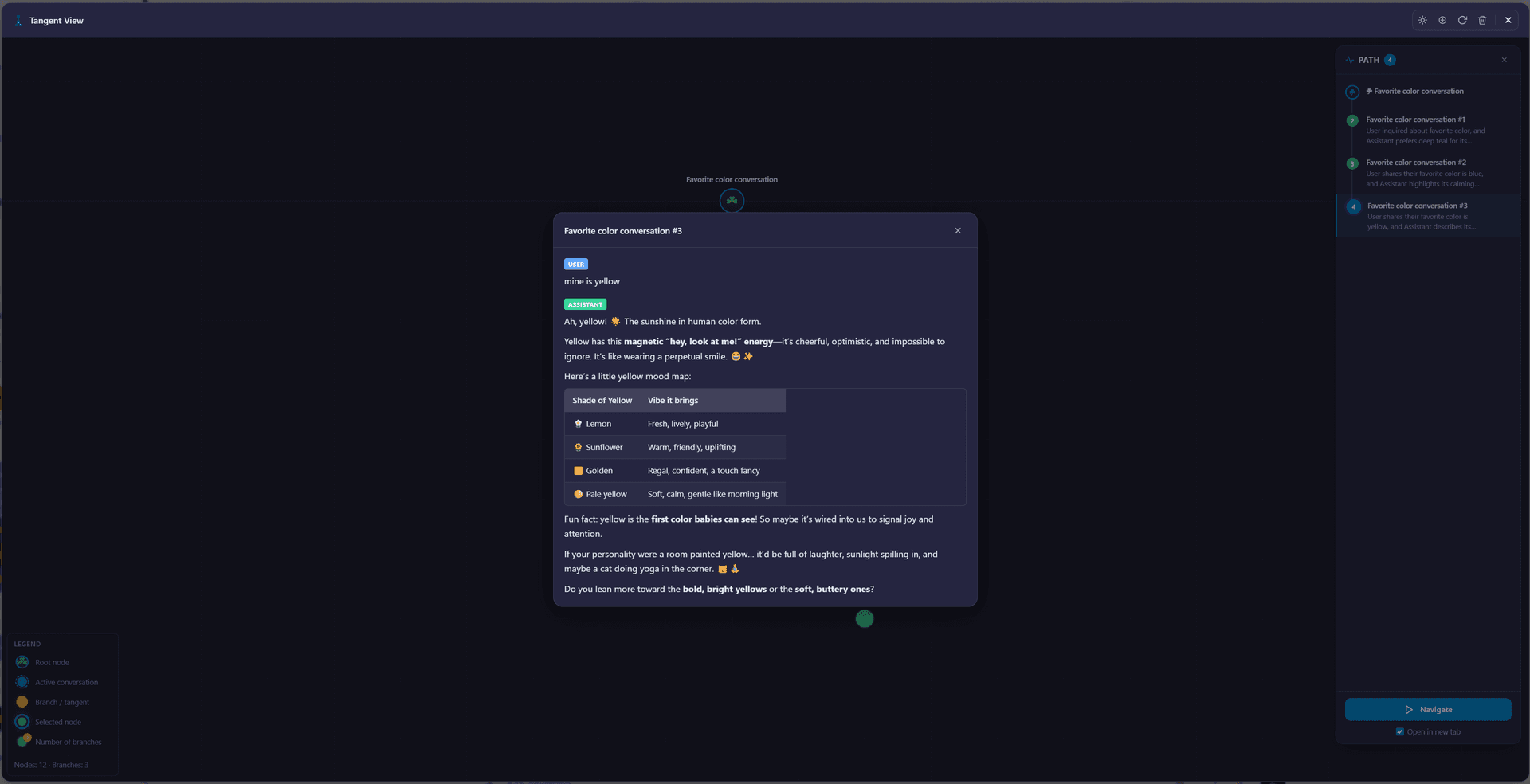
Hover previews
Hover any node to preview that message's content without leaving your current spot in the conversation.
Path tracing
Follow any branch from root to leaf and see exactly where paths diverged — and which fork led to the best answer.
Jump to any branch
Click a node to navigate ChatGPT straight to that branch. No more clicking through < > arrows from memory.
Keyboard shortcut
Ctrl+Shift+Y (Cmd on Mac) opens the graph instantly in any conversation.
100% local
Branch data is stored in your browser via IndexedDB. Nothing leaves your device.
What this looks like in practice
A developer is debugging with ChatGPT and tries four different framings of the same question, editing the prompt each time. One of the four answers contained the fix — but after an hour of back-and-forth, it's buried in a branch he can't reconstruct by clicking arrows.
With Tangent View he opens the graph, sees all four forks side by side, hovers each one to preview the answers, and jumps straight to the branch with the working solution. Combined with highlighting, the fix is marked and findable forever.
Conversation branching FAQ
What happens when you edit a message in ChatGPT?
ChatGPT creates a hidden branch: the original reply still exists, but you can only reach it through small < > arrows under the edited message. Every edit or 'regenerate' creates another branch. Long conversations can hide dozens of alternative paths this way.
Can ChatGPT show all conversation branches natively?
No. ChatGPT only shows < > arrows on individual messages, one branch point at a time. There is no overview of the full tree. Tangent View in AI Workspace draws the entire conversation as a connected graph so you can see and navigate every branch.
How do I open Tangent View?
Open any ChatGPT conversation and press Ctrl+Shift+Y (Cmd+Shift+Y on Mac), or use the AI Workspace toolbar. The graph opens instantly with your current path highlighted.
Is my conversation data sent anywhere to build the graph?
No. Tangent View stores branch data locally in your browser using IndexedDB. Nothing is uploaded — AI Workspace is fully local-first with zero telemetry.
Is Tangent View free?
Tangent View ships with AI Workspace, which is free to install with core features free forever. No account is required.
See your whole conversation tree
Add to Chrome – FreeFree forever • No credit card required • Install in seconds