ChatGPT Image Gallery: every image, one place
Stop scrolling through old chats to find that one image. Browse your complete upload and generation history — with the original prompts — and download everything in bulk.
4.5★ on Chrome Web Store • No account required • Updated June 2026
Quick Answer
ChatGPT has no built-in image gallery — images live inside individual conversations and finding them again means scrolling. The AI Workspace Image Gallery collects every uploaded and generated image from all your conversations into one searchable view, keeps the original generation prompts, and lets you download everything in bulk. All locally in your browser.
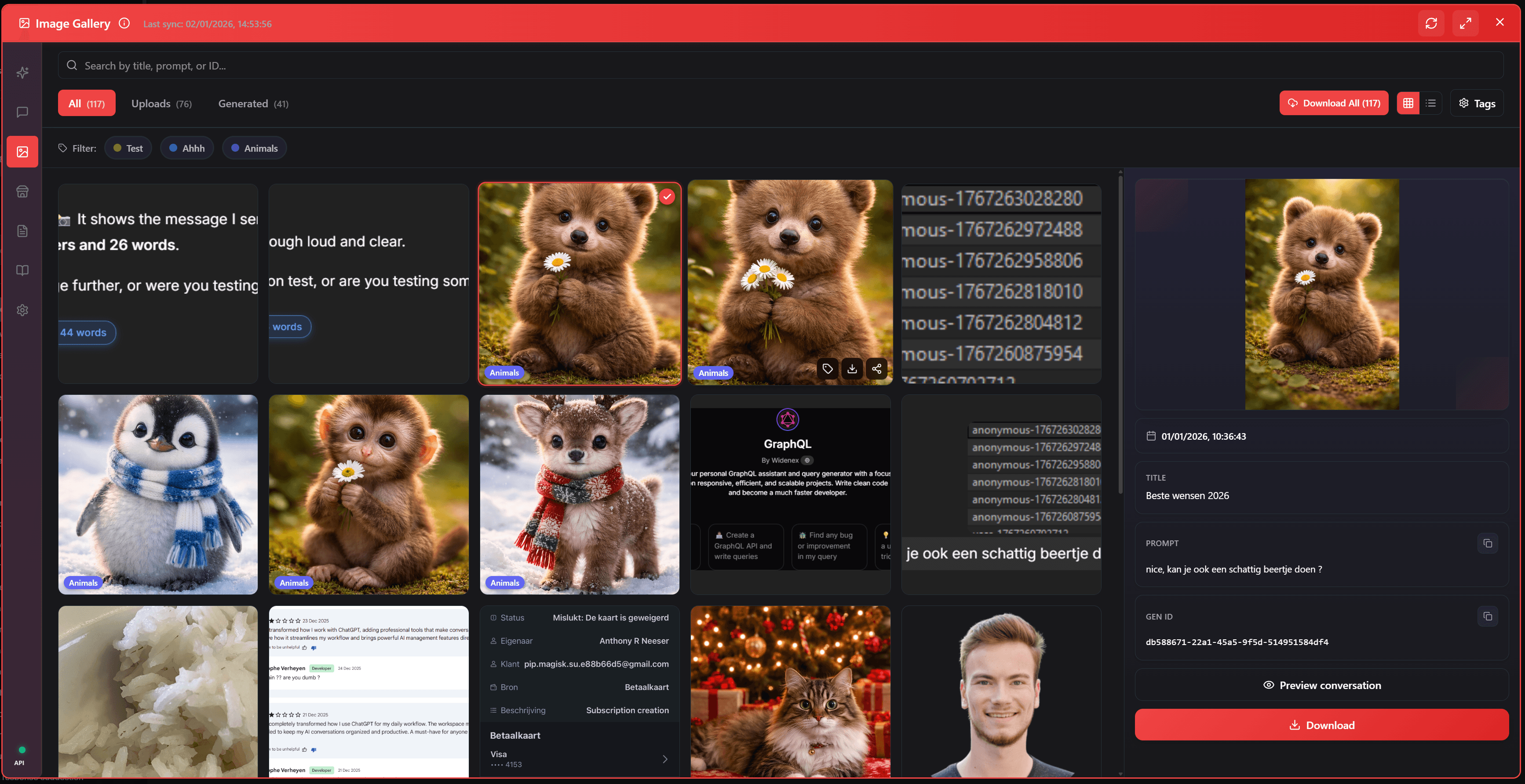
What the gallery gives you
Complete history
Every image from every conversation — uploads and AI generations — in one chronological, browsable grid.
Original prompts included
Each generated image keeps the prompt that created it. Recreate, iterate, or reuse your best prompts instantly.
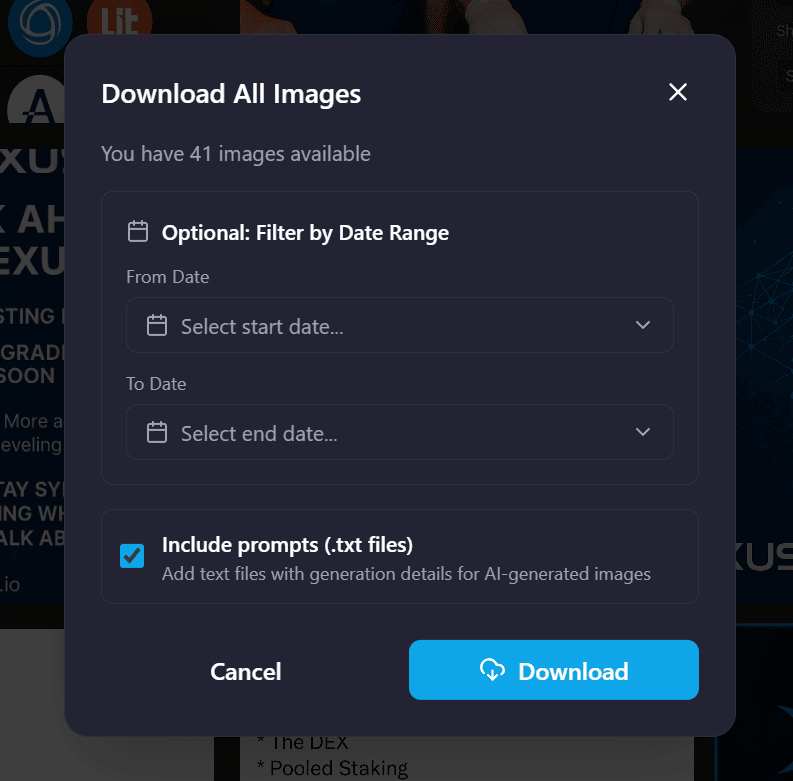
Bulk download
Save all images at once, with prompt text files included — perfect for backups and creative workflows.
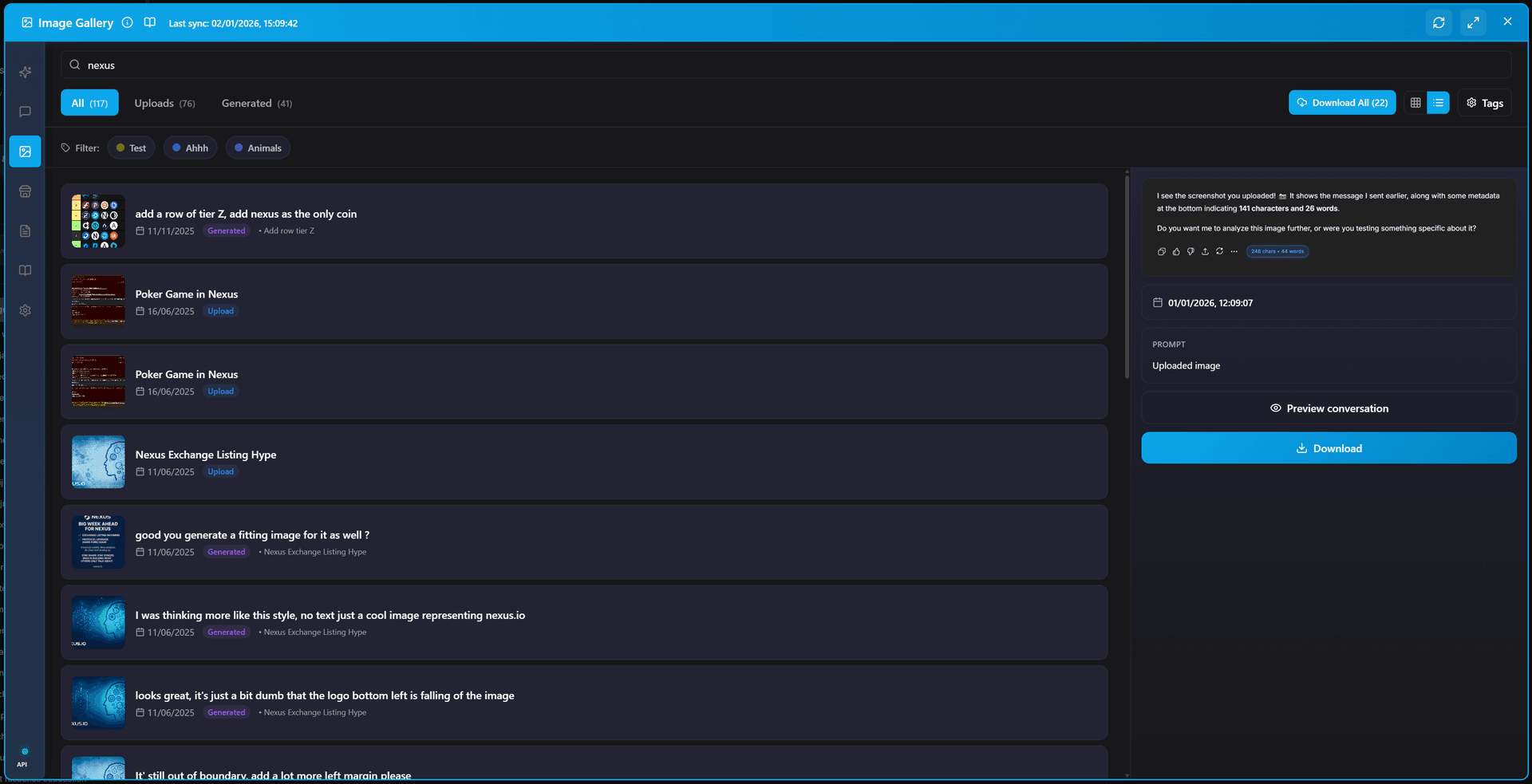
Search & tags
Find images by searching prompts or adding your own tags. No more scrolling through months of chats.
What this looks like in practice
A content creator generates dozens of images a week for thumbnails and social posts. Three weeks later a client asks for "that blue gradient version from the first draft." Natively, that means opening chat after chat and scrolling.
With the gallery she searches the prompt, finds all variations side by side, downloads the set in one click — prompts included — and drops the exact wording back into a new generation. Paired with the prompt library, her best image prompts become reusable templates.
Your images never leave your browser
The gallery is built local-first: images and prompts are indexed in your browser, nothing is uploaded, and there is no account. Zero telemetry, GDPR compliant.
Image gallery FAQ
Where do my ChatGPT images go?
They stay inside the conversation where they were created or uploaded. ChatGPT has no native gallery — to find an old image you have to remember which chat it was in and scroll. AI Workspace adds a gallery that collects every image from every conversation in one browsable view.
Does the gallery include DALL-E / generated images?
Yes. The gallery retrieves both images you uploaded and images ChatGPT generated for you, and it keeps the original prompt used to generate each image.
Can I download all my ChatGPT images at once?
Yes. Bulk download saves all images from your conversations in one action, including text files with the original prompts, so your visual work is backed up and reusable.
Is my image data uploaded anywhere?
No. Like everything in AI Workspace, the gallery runs locally in your browser. No images or prompts are sent to external servers, and no account is required.
Is the image gallery free?
The core gallery is included free. The full Image Gallery experience is part of Pro ($7.99/month billed annually), alongside unlimited prompts, notes, vaults, and encrypted storage.
Find every image you ever made
Add to Chrome – FreeFree forever • No credit card required • Install in seconds