ChatGPT Workspaces: one account, completely separate worlds
Create unlimited isolated workspaces inside ChatGPT, Claude & Grok. Each client, project, or area of your life gets its own sidebar, folders, prompts, and notes — with zero overlap.
4.5★ on Chrome Web Store • No account required • Updated June 2026
Quick Answer
ChatGPT has no built-in workspaces — every conversation lands in one shared sidebar. AI Workspace adds unlimited isolated workspaces on top of ChatGPT, Claude, and Grok, each with its own folders, tags, prompt library, and notes. Data stays 100% local in your browser, with optional AES-256 encrypted vaults for sensitive client work.
How people separate ChatGPT contexts today
Most workarounds trade isolation for effort. Workspaces give you both.
| Approach | True isolation | Daily effort | Breaks down at |
|---|---|---|---|
| One long ChatGPT sidebar | None — but everything is mixed together | ≈50 conversations | |
| ChatGPT Projects | Low — groups chats, but one shared sidebar and context | Multiple clients or sensitive work | |
| Multiple browser profiles / accounts | High — constant logging in and out, scattered history | Daily context switching | |
| AI Workspace workspaces | One click to switch, everything stays organized | — |
How workspaces work
Create a workspace
One click in the sidebar. Name it after a client, a project, or a part of your life — Work, Side Business, Personal.
Everything gets its own context
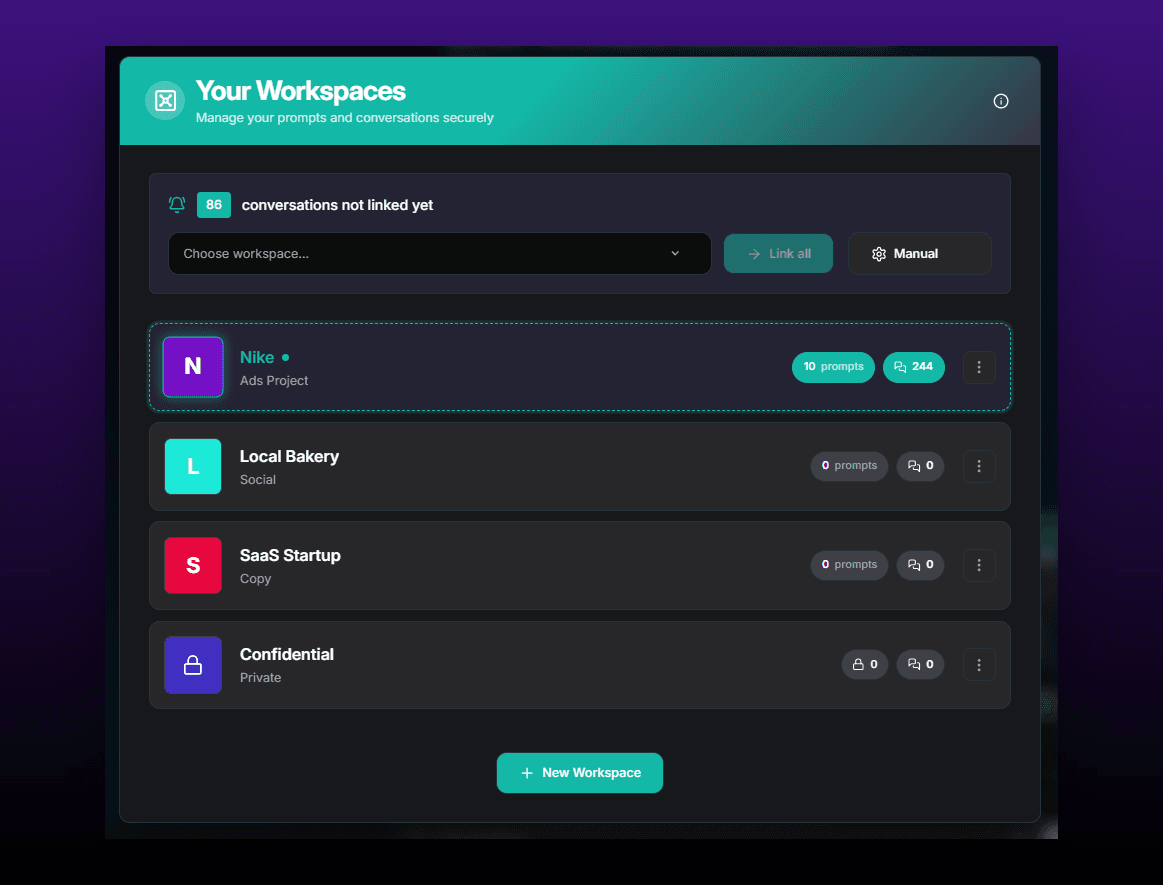
Each workspace has its own folders, tags, pinned chats, prompt library, and notes. New conversations are filed where you are working.
Switch with one click
Jump between workspaces from the sidebar. The full context switches with you — no logging out, no browser profiles, no mixing.
What this looks like in practice
A freelance marketer runs three client accounts plus her own business through ChatGPT. Before workspaces, every strategy session, draft, and brainstorm landed in one endless sidebar — and pasting the wrong client's context into a chat was one misclick away.
Now each client is a workspace. Open "Client A" and only Client A's folders, prompts, and conversations exist. Her own business lives in an annotated workspace of its own, and the sensitive client is locked in an AES-256 encrypted vault.
100% local-first
All workspace data stays in your browser. No cloud, no account, zero telemetry.
AES-256 vaults
Encrypt individual workspaces for client or confidential work.
ChatGPT, Claude & Grok
One workspace system across every AI assistant you use.
ChatGPT workspaces FAQ
What is a ChatGPT workspace?
A workspace is a fully isolated environment inside ChatGPT with its own folders, conversations, prompts, and notes. Switching workspaces switches your entire sidebar context — so client A's chats never appear next to client B's. ChatGPT does not offer this natively; AI Workspace adds it as a browser extension.
Does ChatGPT have workspaces built in?
No. ChatGPT offers Projects, which group chats with shared files and instructions, but everything still lives in one sidebar under one context. Workspaces in AI Workspace are fully isolated from each other and can be encrypted individually.
What is the difference between workspaces and folders?
Folders organize conversations within one context — everything is still visible in one list. Workspaces are separate contexts: each has its own folders, tags, prompts, and notes, and you only see one workspace at a time. Use folders to tidy up, use workspaces to truly separate clients or projects.
Where is my workspace data stored?
100% locally in your browser. AI Workspace is local-first: no cloud sync, no account, no telemetry. Sensitive workspaces can additionally be protected with AES-256 encrypted vaults.
Are ChatGPT workspaces free?
Yes — workspaces are part of the free core features. The free plan includes 1 vault; Pro ($7.99/month billed annually) adds unlimited vaults, encryption, and unlimited prompts and notes.
Do workspaces work on Claude and Grok too?
Yes. The same workspace system works on ChatGPT, Claude, and Grok, so you can keep one organization system across all the AI assistants you use.
Give every client its own ChatGPT
Add to Chrome – FreeFree forever • No credit card required • Install in seconds