How to Organize ChatGPT for Multiple Clients
Quick Answer
ChatGPT mixes every client's conversations into one sidebar, which is messy at best and a confidentiality risk at worst. The fix is one isolated workspace per client: AI Workspace Pro gives each client a fully separate environment with its own folders and tags, plus optional AES-256 encrypted vaults for sensitive work.
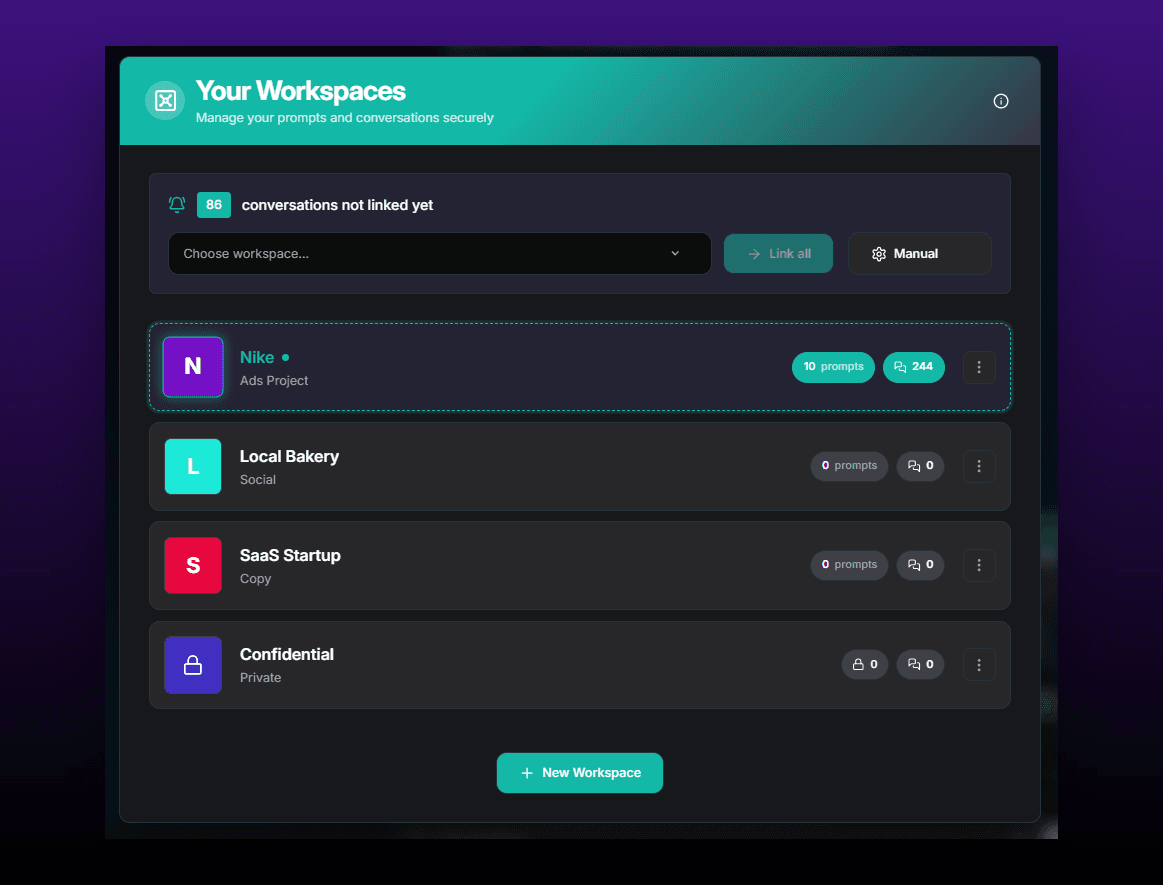
If you freelance or consult, your ChatGPT sidebar is a confidentiality incident waiting for a screen share. Client A's pricing strategy sits two rows above Client B's product roadmap, and a quick "let me show you something" exposes both. Beyond the risk, it's just slow — every context switch starts with scrolling past everyone else's work.
The professional setup is one isolated environment per client. Here's how freelancers and consultants build it.
1Install AI Workspace Pro
Install AI Workspace Pro on Chrome, Edge or Firefox. Workspaces are a free core feature and the extension needs no account — relevant if your own client agreements restrict the tools you can route work data through. Everything it stores lives locally in your browser.
2Create one workspace per client
Create a workspace for each active client, plus one for your own business and one for personal use. Workspaces are fully isolated: with "Client A" active, Client B's conversations aren't merely filtered out — they're not visible at all. Screen sharing during a client call stops being a risk, and context switching becomes a single dropdown change. The workspaces guide covers naming patterns that scale past ten clients.
3Add color-coded folders and tags inside each workspace
Within each client workspace, mirror the same folder skeleton — for example Strategy, Deliverables, Research — and give each client a signature color so one glance at the sidebar tells you whose context you're in. Tags handle cross-cutting states like awaiting-feedback or billable. A consistent skeleton means you never relearn your own filing system per client.
4Encrypt sensitive client workspaces with AES-256 vaults
For clients under NDA or anyone whose data genuinely matters, turn the workspace into an encrypted vault. Vaults use AES-256 encryption on the locally stored data, so organization data for that client is unreadable without the vault being unlocked — a meaningful line in a "how do you handle our information?" conversation. Encrypted vaults are part of Pro ($7.99/month billed annually); workspace isolation itself stays free. When an engagement ends, export the final conversations as PDFs for your records, then archive the workspace.
Ready to fix this for good?
AI Workspace works inside ChatGPT, Claude & Grok. Free to install, no account required, 100% local-first.
Add to Chrome – Free4.5★ on Chrome Web Store • Free forever core features
Frequently asked questions
Can I use separate ChatGPT accounts for each client instead?
You could, but each account needs its own subscription and login cycle, and switching is slow. Isolated workspaces give you the same separation of view inside one account, with instant switching and no extra cost per client.
Can clients see how I organize their workspace?
No. Workspaces, folders, tags and notes exist only in your browser via the extension. Clients see whatever output you choose to share — exported PDFs, pasted text — never your organizational structure.
What happens to a workspace when a client project ends?
Export the conversations worth keeping (PDF or Markdown work well for records), then archive or delete the workspace. Your other clients' workspaces are unaffected since each one is fully isolated.
Is AES-256 encryption available on the free plan?
Encrypted vaults are a Pro feature ($7.99/month billed annually, $9.99 monthly). The free tier still includes isolated workspaces, folders and tags — and all data is local-first regardless of plan, with zero telemetry.
Related feature
ChatGPT Workspaces