How to Search ChatGPT Conversations and Find Anything
Quick Answer
ChatGPT has a built-in sidebar search that matches against your chat history, but it offers no filters and no way to scope results. For serious history sizes, AI Workspace Pro adds full-text search across all workspaces, with smart filters by date, tag and folder to narrow hundreds of matches down to one.
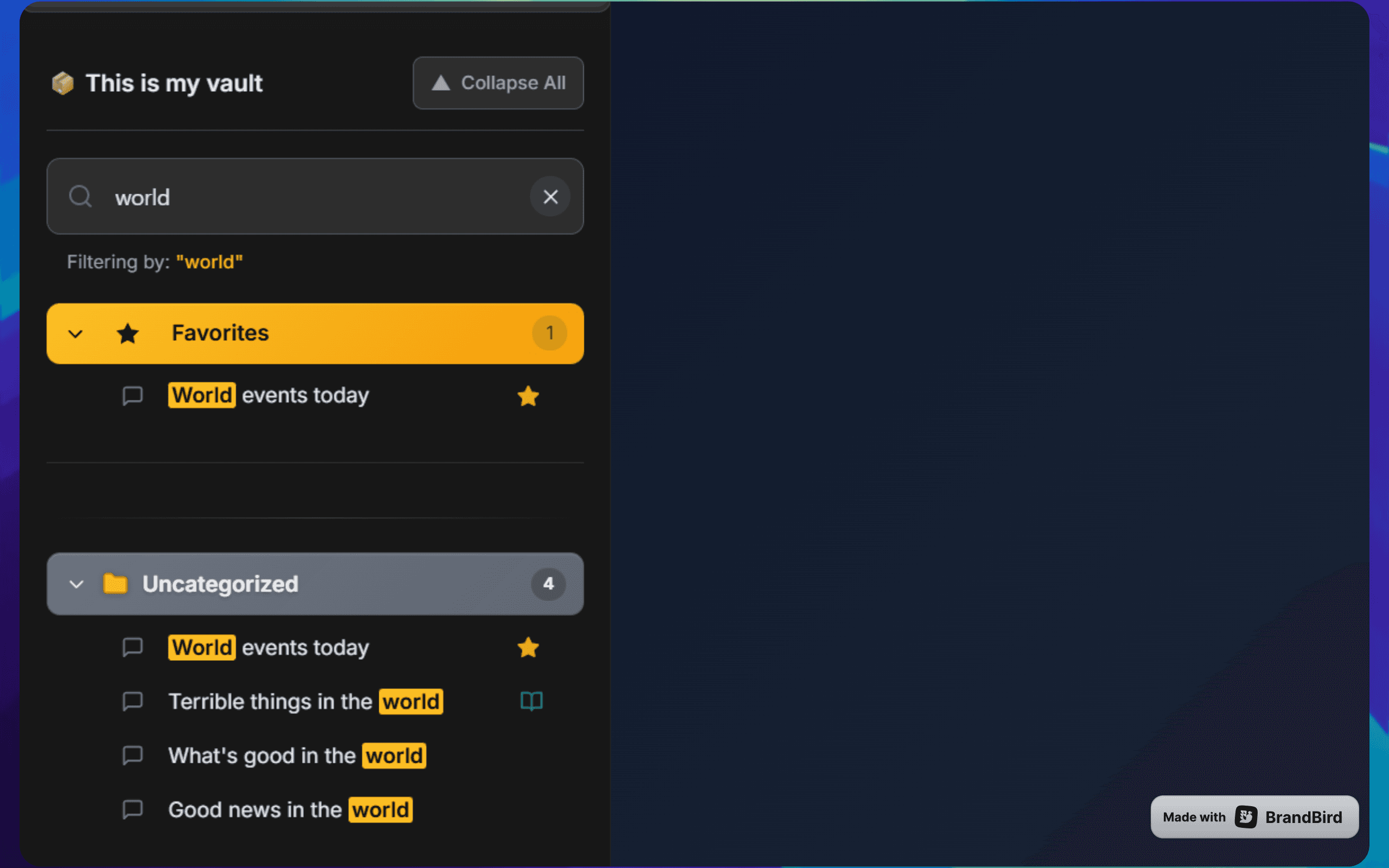
You know the answer exists. Three weeks ago ChatGPT explained exactly how to configure that nginx redirect, and now you need it again. The question is whether finding it takes ten seconds or ten minutes of opening old chats and skimming.
Search quality decides that. ChatGPT ships with a basic search; whether it's enough depends on how much history you have and how precisely you can remember it.
What you can do without an extension
ChatGPT's sidebar has a built-in search — click the magnifying glass (or press Ctrl+K) and type. For a modest history and a distinctive keyword, it often gets you there, and you should try it first.
Its limits show as history grows:
- No filters — you can't restrict results by date range, topic or project.
- No scoping — every search runs against your entire flat history, so common words return walls of results.
- Results give limited context, so you end up opening chats one by one to check.
Search for redirect across 600 chats and you'll see the problem immediately.
1Install AI Workspace Pro
Install AI Workspace Pro for Chrome, Edge or Firefox. Advanced Search is a free core feature, part of the extension's organization toolkit alongside folders, tags and workspaces — and those structures are exactly what make search precise.
2Run a full-text search across all workspaces
Open the extension's search and type your query. It's full-text search across every conversation in every workspace, so the nginx answer buried in message 47 of a chat titled "Quick question" still surfaces. Searches that involve digging through native results one chat at a time resolve in a couple of keystrokes here.
3Narrow results with smart filters
When a query returns too much, filter by date ("sometime last month"), tag ("anything tagged client-acme") or folder ("only my DevOps folder"). Combining one keyword with one filter is usually enough to land on a single conversation. This is where flat-list search simply can't compete — it has no structure to filter on.
4Make future searches easier with tags and structure
Search works best on an organized history. Tag conversations you'll want again, file ongoing work into folders, and pin the chats you reach for weekly so they never need searching at all. Once you've found a key answer, highlight it so the exact passage jumps out when you reopen the chat. The 500+ conversations guide shows how to retrofit structure onto an existing pile.
Ready to fix this for good?
AI Workspace works inside ChatGPT, Claude & Grok. Free to install, no account required, 100% local-first.
Add to Chrome – Free4.5★ on Chrome Web Store • Free forever core features
Frequently asked questions
Does ChatGPT have a search function for old conversations?
Yes — the sidebar search (magnifying glass icon, or Ctrl+K) matches against your chat history. It works for small histories and distinctive keywords, but it has no filters or scoping, so results get unwieldy as your history grows.
How do I search inside one specific ChatGPT conversation?
Natively, your browser's Ctrl+F only finds text currently rendered on screen. AI Workspace Pro's Smart Conversation Outline lets you search within a single thread and jump straight to the matching message.
Can I search across multiple workspaces at once?
Yes. AI Workspace Pro's Advanced Search runs full-text queries across all workspaces and conversations by default, and you can then narrow results by date, tag or folder using smart filters.
Is the search data sent anywhere?
No. AI Workspace Pro is 100% local-first with zero telemetry — search runs entirely in your browser against locally stored data, and neither queries nor conversation content are sent to external servers.
Related feature
Advanced Search